How to Create AI Video Ads for Meta Campaigns from a Product URL (2026 Step-by-Step Guide)
September 27, 2026 · 14 min read
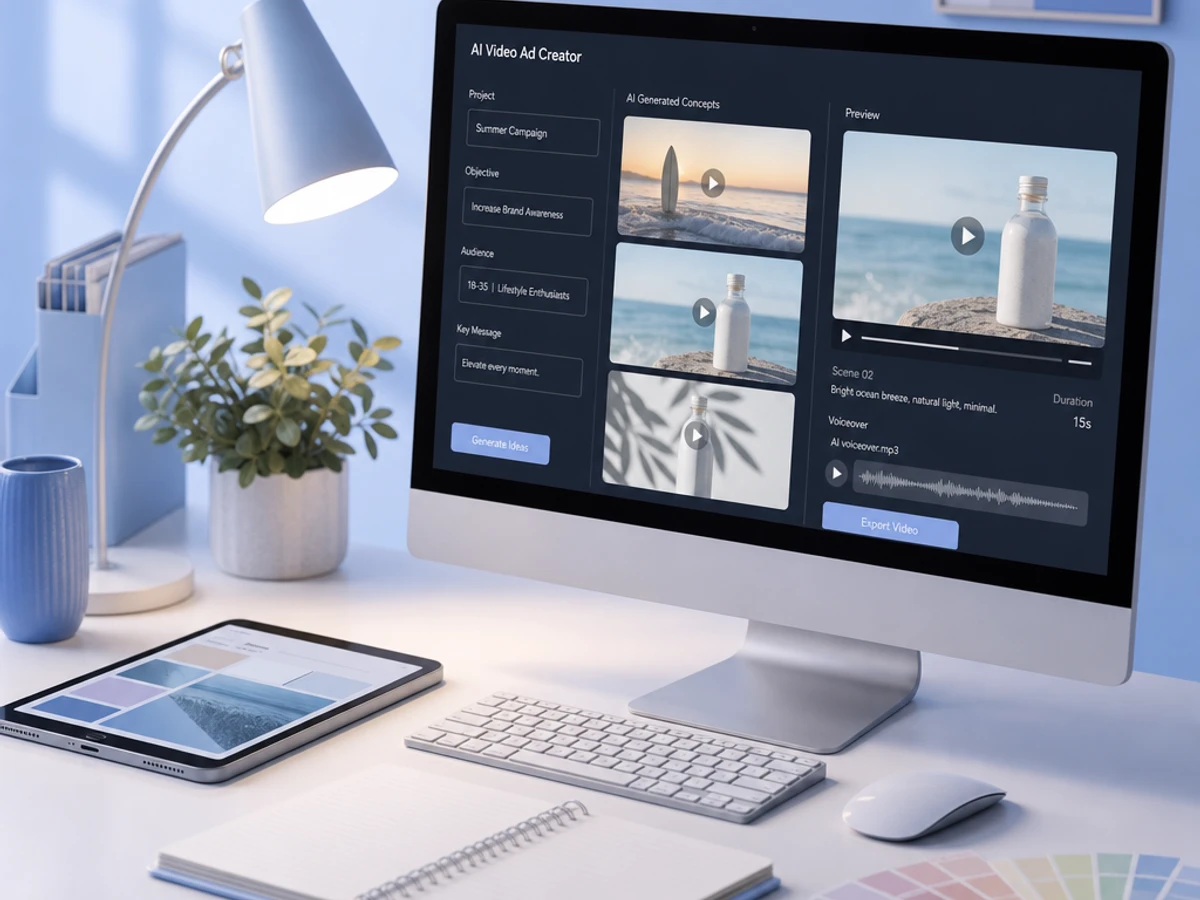
how to create AI video ads for Meta campaigns from a product URL | September 27, 2026 | Klickrocket Editorial Team | 45-60 minutes for your first ad | Beginner
What You'll Learn
This guide answers exactly how to create AI video ads for Meta campaigns from a product URL. You will learn to:
- Turn any public product URL into a complete, Meta-ready video ad without filming anything, by pasting a live product page link into an AI creative platform.
- Structure a brief and script that hits a hook in the first 1-2 seconds, matching how sound-off viewers actually scroll.
- Format and launch the video natively inside Meta with Advantage+ creative enhancements configured correctly.
- Set up a lightweight testing loop so you know which video actually drives purchases, not just views.
The entire workflow, from pasting the URL to a live Reels or in-feed ad, typically takes under an hour once you know the sequence. This removes the videographer, editor, and copywriter bottleneck that used to stretch a single ad into a week-long project.
Prerequisites: a live, public product page (not a gated or homepage URL), an active Meta Ads Manager account with a Page and pixel or Conversions API connected, and 3-5 clear product images if the source page is thin on visuals.
Why AI Video Ad Creation Matters in 2026
Meta's growth forecast for 2026 sits at 24.1%, and eMarketer attributes much of that to Advantage+, AI-generated creative, and Reels. That means the platform's own growth story is now tied directly to advertisers adopting AI-generated video at scale. On the demand side, 62% of marketers use generative AI tools daily, so the workflow described in this article is quickly becoming the default rather than the exception.
The performance case is concrete. Meta's video generation tools hit a $10 billion run rate in Q4 2025, and advertisers using video generation saw more than 3% higher conversion rates in tests, per Meta's Q1 call. On the creative side, Andromeda (Meta's updated ad ranking system) evaluates thousands of times more ad variants in parallel than its predecessor, which shifts the primary performance lever from audience targeting to creative diversity. Here's the real talk: 9:16 vertical video is the priority format for 2026, and that's not changing.
For performance marketers, D2C brands, and agencies, the practical upshot is this: creative volume and creative quality now matter more than manual targeting tweaks. Creative quality drives 50 to 70% of performance, which is exactly the gap a product-URL-to-video workflow is built to close. For supporting data, see Video Campaigns Best Practices - Google Ads Help.
The Process at a Glance
| Step | Action | Time | Outcome |
|---|---|---|---|
| 1 | Gather product signals from the URL | 5-10 min | Clean input data ready for AI |
| 2 | Generate the ad brief and script | 5-10 min | Hook, script, and angles drafted |
| 3 | Produce and customize the video | 10-20 min | Rendered, on-brand video ad |
| 4 | Format and launch natively on Meta | 10-15 min | Live campaign with correct specs |
| 5 | Test, monitor, and optimize | Ongoing, 7-day cycles | Clear winner identified and scaled |
Total time to first launch: roughly 45-60 minutes, with optimization continuing in weekly cycles after that.
Step 1: Gather Product Signals From the URL
What You're Doing
Before the AI can work its magic, it needs clean, comprehensive product information: images, copy, pricing, and specs. This step ensures the tool gets exactly that, so the video it generates is actually usable.
How to Do It
- Pick a single, specific product page. Not your homepage. Not a category page. Not a collection URL. The AI needs a page that describes one product clearly: what it is, what it does, who it is for, and why someone should buy it.
- Confirm the page is public and crawlable. Gated pages are off-limits since the AI can't scrape them.
- Check that the page has at least 3-5 quality images showing the product from different angles or in use. Thin pages produce thin videos. This matters more than you'd think.
- Note your three to five key selling points in advance so you can sanity-check what the AI extracts. You know your product better than any algorithm does.
- If you're using Klickrocket, signal synthesis pulls in additional context beyond the page itself, blending product data with competitor ad patterns and your own account performance history so the brief isn't built on the URL alone.
Best Practices
- Add or refresh product images before pasting the URL rather than after. Fixing a thin video after generation costs more time than fixing the source page first.
- Keep one URL per product SKU rather than a bundle page, so the AI doesn't blend messaging across items.
Common Mistakes
The most common error is pasting a category or search-results URL, which gives the AI nothing to anchor a story around. The trade-off with URL generation is less creative control. If your website copy isn't optimized or your product images are inconsistent, the output reflects those limitations. That's not the AI's fault; it's working with what you gave it.
What Done Looks Like
You have one clean product URL, a mental list of your top selling points, and confidence that the page has enough visual and text material for an AI system to work with. You're ready to move forward.
Key Takeaway: A well-optimized, specific product URL with ample visual and textual content is the foundation for effective AI video ad generation. For a more detailed walkthrough, see Best AI Video Generators for Facebook Ads: 8 Tested Options.
Step 2: Generate the AI Video Ad Brief and Script
What You're Doing
Now the raw product URL data transforms into a structured ad brief: a hook, a script, and a creative direction. Most of this happens automatically, which is the whole point.
How to Do It
- Paste the product URL into your AI creative tool's input field. The system will scan your product page, extract relevant images and copy, and prepare them for video assembly.
- Let the tool draft a script following a hook-demo-CTA structure. This is the same shape used across most modern AI ad generators: they scrape the page for images, text, and specs, then build a script before matching visuals to it.
- Review the extracted selling points against the list you made in Step 1 and correct anything the AI misread, such as pricing or a feature name. This is your quality gate.
- If your platform supports it, generate two or three brief variations (different hooks or angles) instead of a single script. Andromeda-era Meta delivery rewards creative diversity, not one polished video.
- Klickrocket handles this stage with ad production agents that draft the brief and script from five signal sources rather than the URL alone, which is the mechanism behind automated brief generation that goes beyond a single page scrape.
Example
| Input | AI Output |
|---|---|
| Product URL for a stainless steel water bottle | Hook: "Still buying plastic bottles every week?" Demo: cold-retention claim, size options. CTA: "Shop the 24-hour bottle." |
| Three product images (studio + lifestyle) | Video opens on lifestyle shot, cuts to studio detail shot at 3 seconds, CTA overlay at final 2 seconds |
What Done Looks Like
You have a script with a hook in the first 1-2 seconds, a clear single selling point per variation, and a CTA that matches your campaign objective. You're ready to produce.
Step 3: Produce and Customize the Video Ad
What You're Doing
This is where the script becomes a real video file. You'll choose a style, add voiceover and captions, set the length, and make sure it looks like it came from your brand, not a template library.
How to Do It
- Select a video style: UGC-style talking avatar, product demo montage, or a lifestyle cut using your existing images.
- Choose voiceover and captions. Auto-generated captions matter because sound-off viewers decide before the audio matters, a key insight for mobile-first platforms. On-screen text needs to carry the hook alone.
- Set video length. Meta recommends keeping prospecting videos 6-15 seconds, and using 15-30 seconds for consideration or demo content, matching video length to your funnel stage.
- Insert your logo, brand colors, and a clear final-frame CTA before rendering.
- Render two to three versions with different hooks so you have variants ready for testing in Step 5, rather than a single asset. Variety is your friend here.
Best Practices
- Render in vertical 9:16 as your master file. This is the format Meta's own inventory is built around going into 2026.
- Avoid making 50 near-identical clips. Diversity is not the same as volume. Uploading 50 minor variations of the same product photo gives the system redundant inputs, as highlighted by Meta's Advantage+ creative guidance.
What Done Looks Like
You have two to four rendered MP4 files, each under 30 seconds, in vertical format, with captions burned in and a visible CTA in the final frame. These are ready to upload.
Step 4: Format and Launch the Video Natively on Meta
What You're Doing
You're uploading your rendered video into Meta Ads Manager and configuring it correctly so delivery doesn't get tangled up in spec mismatches or suboptimal defaults. This step is straightforward but easy to mess up if you're not paying attention.
How to Do It
- Upload your 9:16 master file directly into Meta Ads Manager at the ad level.
- Check which Advantage+ creative enhancements are active. Since February 2026, all new Sales, Leads, and App Promotion campaigns launch with every Advantage+ Creative enhancement turned on by default, so review which ones are actually enabled rather than assuming none are.
- Run three to four hook variants in the same ad set. This lets the algorithm find the winner, and set a 7-day learning window without editing creative mid-learning, a recommended practice for Meta's learning phase.
- Write primary text and headlines that match the video's spoken hook, not generic boilerplate copy. Your ad copy should reinforce what the video is saying.
- If you're managing the account through Klickrocket, this is where the platform's native Meta launch capability publishes the rendered creative directly into a live campaign, closing the loop from signal synthesis to a running ad without a manual export-and-upload step.
Common Mistakes
Launching a single video with no variants wastes the learning phase. Meta's algorithm needs options to compare. A second common mistake: editing the creative mid-flight during the seven-day learning window. That resets learning and inflates your cost per result.
What Done Looks Like
Your campaign is live with 3-4 creative variants in one ad set, Advantage+ creative settings deliberately chosen (not left to default without review), and delivery has started without mid-flight edits.
Step 5: Test, Monitor, and Optimize the Video Ads
What You're Doing
Launching a video ad is not the end. It's the beginning of a measurement loop that tells you which creative actually converts and drives business outcomes. This is where most people mess up, so pay attention.
How to Do It
- Let the ad set run through its full learning window before judging results. Measure with cost per result and frequency, not views, and set a 7-day learning window before editing creative mid-learning.
- Track cost per result and frequency together. Watch frequency alongside it: if frequency climbs past 3 while cost per result rises, the creative is tiring and you need a refresh, a common indicator of creative fatigue.
- Use ThruPlay as a secondary signal only. Use Meta's ThruPlay as a secondary quality signal for prospecting, but always tie it back to the business outcome. A video with great ThruPlay but no conversions is entertainment, not advertising.
- Retire underperforming variants and scale the winner. After learning, scale the winning variant and retire the losers.
- Klickrocket's ad intelligence agents continuously monitor performance against competitor benchmarks and flag creative gaps, so the next brief in Step 2 is informed by what's actually working rather than a fresh guess each cycle.
What Done Looks Like
You can name your winning variant, know its cost per result versus the rest of the ad set, and have a refreshed brief queued before frequency or fatigue starts eroding performance.
What to Do After Launching Your First AI Video Ad
Phase 1, Weeks 1-2: Run your initial 3-4 variants to a full learning window, log cost per result by hook, and identify one clear winner. Don't declare victory on views alone.
Phase 2, Weeks 3-6: Generate new briefs from a new URL or a new angle on the same product. Check Meta's Ad Library for competitor patterns worth testing against, and rotate creative before frequency crosses 3.
Phase 3, Ongoing: Build a repeatable weekly or biweekly cadence of brief, produce, launch, and review. Creative refresh stops being a fire drill and becomes a standing part of account management.
Resources You'll Need
| Resource | Role | Requirement | Price |
|---|---|---|---|
| Klickrocket | AI-native performance marketing platform for signal synthesis, ad brief generation, video production, and native Meta launch | Recommended | Contact for pricing |
| Meta Ads Manager | Native platform for launching, formatting, and tracking campaigns | Required | Free to use, pay for media spend |
| Meta Ad Library | Research competitor creative and formats before briefing new ads | Recommended | Free |
| Meta Business Help Center | Reference for Advantage+ settings and campaign specs | Optional | Free |
See also, see Best Video Ad Creation Tool for Meta Ads (2026) - Sovran.
Common Plateaus and How to Break Through
Video output feels generic or off-brand
Likely cause: The source product page had thin, inconsistent, or low-resolution images, so the AI had little to work with beyond generic templates.
Fix: Add 3-5 higher-quality, varied images to the product page (or upload them directly to your AI tool) before regenerating, and manually correct any misread selling points in the brief step.
Cost per result rises after a strong first week
Likely cause: Creative fatigue. If frequency climbs past 3 while cost per result rises, the creative is tiring and you need a refresh.
Fix: Rotate in a new hook variant from a fresh brief rather than editing the existing live creative mid-flight.
High ThruPlay but flat conversions
Likely cause: The video entertains but the CTA or offer isn't clear enough to move viewers to action.
Fix: Tighten the CTA in the final 2-3 seconds and re-test against your original variant. A video with great ThruPlay but no conversions is entertainment, not advertising.
Too many similar variants, no clear winner
Likely cause: The ad set contains near-duplicate clips rather than genuinely different hooks or angles.
Fix: Cut the set down to 3-4 meaningfully different hooks. Diversity is not the same as volume, and redundant inputs don't help the system test effectively. For more troubleshooting advice, see The 6 Meta ads mistakes that quietly kill performance ....
Conclusion
Creating AI video ads for Meta campaigns from a product URL comes down to five repeatable moves: prepare clean product signal, generate a brief and script, produce a vertical video, launch it natively with the right Advantage+ settings, and monitor cost per result through a full learning cycle before scaling. Klickrocket believes creative is the key differentiator in a world where ad buying is automated, empowering marketers with cutting-edge AI to regain control and outperform in the constantly evolving digital landscape. That's why platforms built around signal synthesis and native launch matter more than single-purpose video generators.
Key Takeaways
- A single clean product URL, fed through the right AI workflow, can become a live Meta video ad in under an hour without a videographer or editor.
- Creative diversity, not volume, is what Meta's Andromeda ranking system rewards. 3-4 distinct hooks beat 20 near-identical clips.
- Your next action: pick one live product page today, run it through Steps 1-4, and let it sit through a full 7-day learning window before judging results.
FAQ
How to create AI video ads for Meta campaigns?
Paste a live product URL into an AI creative tool so it can extract images, copy, and selling points. Review and adjust the generated brief and script, then render the video in vertical 9:16 format. Upload it directly into Meta Ads Manager with 3-4 hook variants in one ad set and Advantage+ creative enhancements deliberately configured. Platforms like Klickrocket combine this with automated brief generation from multiple signal sources and native Meta launch, so the whole sequence from URL to live campaign happens in one workflow rather than across several disconnected tools.
Do I need video editing skills to create AI video ads from a product URL?
No. The entire premise of a URL-to-video workflow is that the AI handles scripting, pacing, transitions, and assembly automatically. Your job is reviewing the output and correcting anything the AI misread from your product page.
What makes a product URL work well for AI video generation?
A single, specific, public product page with 3-5 clear images and well-written copy about what the product is, who it's for, and why it matters. Use a specific product page, not your homepage, a category page, or a collection URL, ensuring the AI has sufficient context.
How long should my AI-generated Meta video ad be?
Keep prospecting videos 6-15 seconds, and use 15-30 seconds for consideration or demo content. Match video length to where the viewer sits in your funnel rather than defaulting to one length for everything.
Should I turn on Meta's Advantage+ creative enhancements for AI video ads?
In most cases yes. Since February 2026, all new Sales, Leads, and App Promotion campaigns launch with every Advantage+ Creative enhancement turned on by default, but you should still review which specific enhancements are active rather than assuming the defaults fit your creative.
How many video variants should I launch at once?
Three to four distinct hook variants in a single ad set is the recommended range. Running 3-4 hook variants in the same ad set lets the algorithm find the winner, without flooding the system with redundant, near-identical clips.
How do I know if my AI video ad is actually working on Meta?
Track cost per result and frequency rather than views or ThruPlay alone. If frequency climbs past 3 while cost per result rises, the creative is tiring and needs a refresh. A video with strong watch-through but no conversions is a signal to tighten the offer or CTA, not the visuals.
Can Klickrocket create the entire video ad and launch it on Meta for me?
Yes. Klickrocket's ad production agents handle ad brief creation, script generation, and full video production without requiring in-house creative skills. The platform combines AI-driven insights with automation to remove bottlenecks in ad production, including full ad pipeline management, instant ad generation and deployment, creative localization, and a data model that gets smarter each week.
This guide was compiled from publicly available Meta advertising data, industry benchmark reports, and documented AI video ad workflows current as of September 2026. Performance figures, benchmarks, and platform behaviors referenced here are subject to change as Meta updates its ad products; always confirm current specs in Meta Ads Manager before launching.