How to Make UGC-Style Video Ads Without Hiring Creators (2026 Step-by-Step Guide)
October 1, 2026 · 10 min read
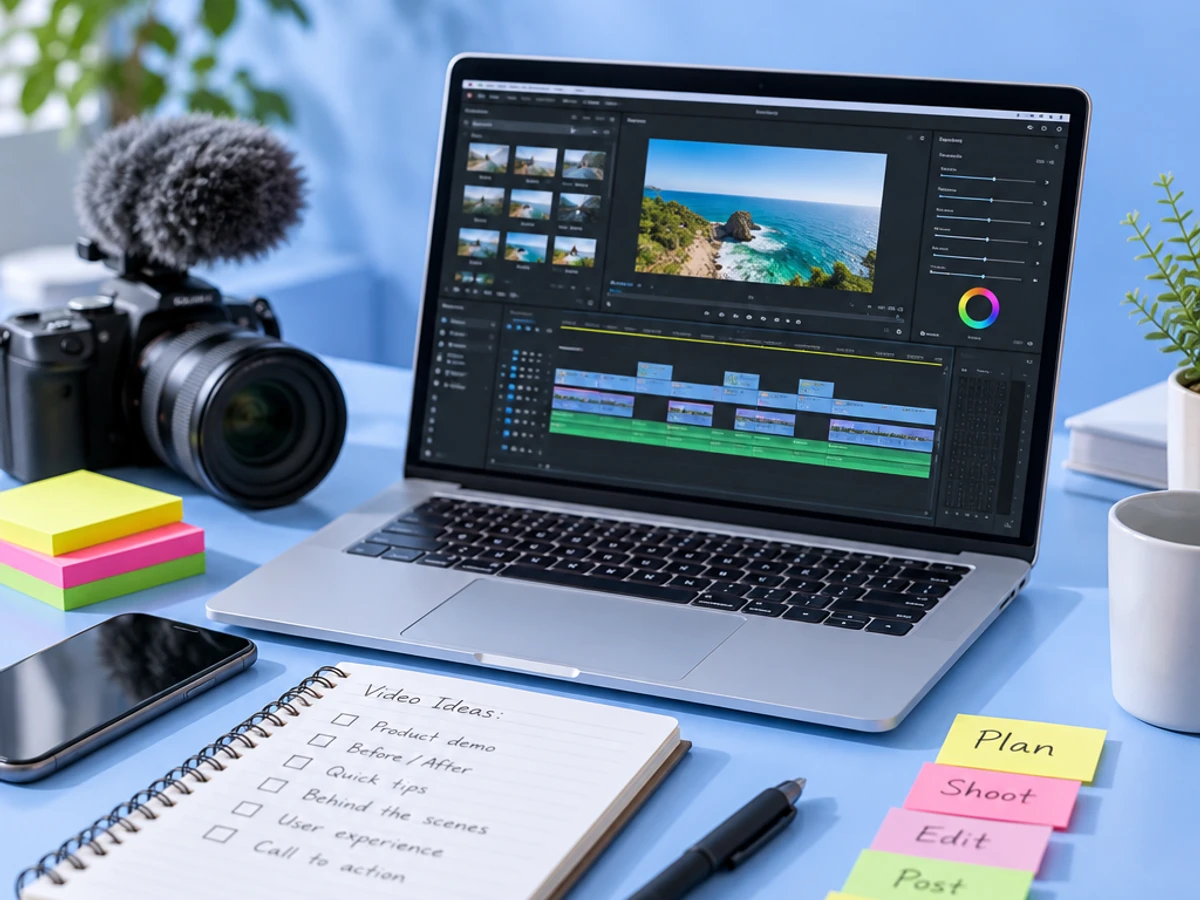
how to make UGC-style video ads without hiring creators or production teams | Updated October 2026 | Klickrocket Editorial Team | 1-2 hours per ad batch | Beginner
What You'll Learn
This guide walks you through a five-step process for making UGC-style video ads in-house. You'll combine AI tools for scripting, avatar generation, voiceover, and editing into one workflow that produces a finished, platform-ready ad in under two hours. No camera, casting calls, or waiting required.
- How to find winning ad angles before you write a script.
- How to write hook-first scripts built for 3-second retention.
- How to generate realistic AI avatar videos without filming anyone.
- How to localize, caption, and launch ads that feed a continuous testing loop.
Prerequisites: a product or offer you're advertising, access to a Meta or TikTok ad account, and no video editing or production experience required.
Why DIY UGC-Style Video Ads Matter in 2026
The economics have shifted dramatically. UGC-style video ads are authentic, user-generated content-like videos that resemble organic social media posts, often featuring real people reviewing or demonstrating products. In 2025, the average UGC creator cost dropped 44% year-over-year to $198 per deliverable, while AI-generated ads cost under $5. Testing ten creative variations now costs roughly $50 with AI instead of $4,600 with hired creators, based on a 2026 UGC ad cost breakdown.
Sovran's 2026 video ad production cost benchmarks show that 86% of ad buyers are using or planning to use generative AI for video ad creative. The bottleneck is no longer cost-it's speed. Creative fatigues in two weeks, and waiting five to seven business days for a hired creator doesn't fit the pace anymore.
The shift to AI-generated UGC isn't about replacing creators. It's about removing the bottleneck so you can test more angles, faster, and find what works before it burns out.
The Process at a Glance
| Step | Action | Time | Outcome |
|---|---|---|---|
| 1 | Research winning ad angles and competitor creative | 20-30 min | Validated angles backed by real data |
| 2 | Write a hook-first UGC-style ad script | 15-20 min | Conversion-ready script with hook variants |
| 3 | Generate the AI avatar video from your script | 10-15 min | Finished UGC-style video, no filming |
| 4 | Edit, caption, and localize for each platform | 15-20 min | Platform-ready, captioned ad variants |
| 5 | Launch, test, and feed data back into production | Ongoing | Live test with a built-in optimization loop |
Total time: roughly 1-2 hours for your first ad, dropping to 20-30 minutes per additional variation once your workflow is set up.
Step 1: Research Winning Ad Angles Before You Script Anything
What You're Doing
You're pulling data on what hooks, pain points, and formats are already converting in your category before you write a single word.
How to Do It
- Pull 10-15 top-performing ads from your category using Meta's Ad Library to see what's currently running and for how long.
- Look at the first three seconds of each hook. Is it a problem statement, a bold claim, a question, or a visual pattern interrupt? Note the pattern.
- If you're using an ad intelligence platform like Klickrocket, let it surface performance gaps against competitors and flag which creative angles are underused in your account.
- Shortlist two to three angles that map to a real customer pain point, not just a trending format.
Best Practices
- Prioritize angles tied to a specific objection (price, trust, results) over generic brand messaging.
- Track angles over time; a hook that worked six months ago may already be fatigued.
What Done Looks Like
You have two to three validated angles, each with a one-line hook and a documented reason it should work for your product.
Step 2: Write a Hook-First UGC-Style Script
What You're Doing
You're turning your validated angle into a 15-45 second script that sounds like a real person talking, not a brand pitching. AI avatars are only as good as the words they're saying.
How to Do It
- Open with the hook in the first sentence. Never bury it under an intro or logo reveal.
- Write in first person, present tense, with contractions and natural pauses. Read it out loud. If you wouldn't say it to a friend, rewrite it.
- Structure as: hook (0-3s), problem or context (3-10s), product reveal and benefit (10-25s), call to action (25-30s).
- Write two or three hook variants for the same script body so you can test openers without rebuilding the whole ad.
- If you're using Klickrocket, its ad production agents can generate the full brief and script directly from your chosen angle.
Common Mistake
Mistake: Writing scripts that sound like ad copy ("Introducing the revolutionary new..."). Fix: If it doesn't sound like something a friend would say over coffee, it's not ready.
What Done Looks Like
You have a script under 150 words, with a punchy hook and a clear single call to action that reads naturally. For a more detailed walkthrough, see How to Generate AI UGC Videos Using AI Avatars.
Step 3: Generate the Video With AI Avatars, No Filming Required
How to Do It
- Paste your script into an AI UGC video generator and select an avatar that matches your target demographic.
- Choose a voice and pacing that matches the energy of your hook.
- Generate the render. Most AI UGC video generators produce a finished clip in under two minutes.
- With Klickrocket, this step happens automatically as part of the same workflow that generated your script.
Best Practices
- Generate two to three avatar variations per script. Different faces and voices resonate differently even with identical copy.
- Keep product cutaways in mind to break up the talking-head format and boost retention.
What Done Looks Like
You have a finished, vertical-format video with a synced voice and avatar that looks like an organic creator post, ready for platform-specific tweaks.
Step 4: Edit, Caption, and Localize for Each Platform
How to Do It
- Export in 9:16 for TikTok and Reels, and check whether you need a 1:1 or 4:5 crop for feed placements.
- Add burned-in captions. The vast majority of social video is watched with sound off initially.
- If you're running ads in multiple markets, use a tool that supports creative localization so the same script can be re-rendered in another language with a matching avatar and voice. Klickrocket has this built in.
- Do a final pass for pacing: trim dead air, tighten the hook if it runs past three seconds.
What Done Looks Like
You have platform-correct, captioned video files ready to upload directly to your ad account.
Step 5: Launch, Test, and Let Performance Data Shape Your Next Batch
How to Do It
- Launch two to three hook variants simultaneously to isolate which opener drives the best hook rate and thumb-stop ratio.
- Let each variant run long enough to gather statistically meaningful data, typically a few thousand impressions per variant.
- Review which angle, avatar, and hook combination outperforms, and feed that insight back into Step 1 for your next batch. Ad intelligence agents like those in Klickrocket continuously monitor performance.
- Kill underperformers fast and double down on winners with new hook variations.
What Done Looks Like
You have a live ad test with at least one clear performance signal, creating a continuous loop instead of one-off campaigns.
What to Do After Launching Your First UGC-Style Ad Batch
Phase 1 (Weeks 1-2): Build a consistent rhythm of new hook and angle variations so fresh creative enters rotation before existing ads fatigue.
Phase 2 (Weeks 3-6): Document which avatars, hooks, and script structures consistently outperform, and turn those into templates your team reuses.
Phase 3 (Month 2+): Move from manually choosing angles to letting an ad intelligence layer flag competitor gaps automatically, so creative production becomes a continuous pipeline.
Resources You'll Need
| Resource | Role | Requirement | Price |
|---|---|---|---|
| Klickrocket | End-to-end ad intelligence and AI creative generation, from brief and script to finished render | Required for the full workflow | Contact for pricing |
| Meta Ad Library | Research competitor hooks and angles before scripting | Required | Free |
| Synthesia | Standalone AI avatar generation for multilingual video | Optional alternative | From $29/mo |
| Arcads | Standalone AI UGC avatar tool for direct-response testing | Optional alternative | From $99/mo |
| CapCut | Manual caption and crop adjustments if needed | Optional | Free / paid tiers |
See also, see Top 10 AI Tools for UGC-Style Ads with AI Actors in 2026.
Common Plateaus and How to Break Through
Plateau: Your AI-generated ads look "off" or robotic
Likely cause: The script was written like ad copy, or the avatar's pacing doesn't match the hook's energy.
Fix: Rewrite the script in first person with contractions and pauses. Test two to three different avatars on the same script before judging the tool.
Plateau: Ads perform fine but never become top performers
Likely cause: You're skipping Step 1 and generating videos from assumed angles instead of data-backed ones.
Fix: Spend the full 20-30 minutes on competitor and performance research before scripting. The angle matters more than production method.
Plateau: You're generating many videos but can't tell what's working
Likely cause: No consistent tracking of which hook, avatar, or angle correlates with performance.
Fix: Use an ad intelligence layer that continuously monitors performance and surfaces patterns, rather than manually comparing spreadsheets.
Plateau: Localization feels like starting over for every market
Likely cause: Treating each market's video as a separate production rather than a re-render of the same validated script.
Fix: Use a platform that supports creative localization natively, so your winning script and structure carry over while only language and avatar adapt. For more troubleshooting advice, see How to Make UGC Videos Ads With AI in 2026.
Conclusion
Making UGC-style video ads without hiring creators comes down to five repeatable moves: research the angle, write a hook-first script, generate the avatar video, adapt it per platform, and let performance data drive your next batch. What once required a $198 creator fee and multi-day turnaround can now happen in-house, in under two hours, for a few dollars per video. This democratizes high-volume creative testing for all brands.
Key Takeaways
- You can produce a finished, platform-ready UGC-style ad without a camera, creator, or production team, start to finish, in one sitting.
- The angle and script matter more than production polish. AI avatars only amplify a strong hook.
- Your next action: pull five competitor ads from the Meta Ad Library and draft your first hook-first script before generating anything.
FAQ
How do you make UGC-style video ads without hiring creators in 2026?
Research proven ad angles from competitor creative, write a hook-first script, and generate the video with an AI avatar and synthetic voice instead of filming a real person. Edit, caption, and launch as a test to gather performance data. Platforms like Klickrocket streamline this by combining research, scripting, and rendering into a single pipeline. The entire workflow takes one to two hours.
How much does it cost to make a UGC-style ad without a creator?
AI-generated UGC-style ads typically cost a few dollars per video, compared to an average UGC creator cost of $198 per deliverable in 2025. At testing volume, the cost gap is significant in favor of AI production.
Do AI UGC video ads actually perform as well as real creator ads?
Performance depends more on the strength of the hook and angle than on whether a human or AI avatar delivers the line. Well-researched, hook-first scripts tend to perform comparably whether filmed or AI-generated.
What tools do I need to make UGC-style ads without a production team?
At minimum you need a script, an AI avatar video generator, and an ad account. An end-to-end platform like Klickrocket handles ad intelligence, script generation, and video rendering in one place. Standalone tools like Synthesia or Arcads can handle avatar generation separately. Meta Ad Library is essential for research.
How long does it take to produce a UGC-style video ad with AI?
A single AI-generated UGC-style ad typically takes 10 to 20 minutes to render once the script is written. The full process, including research, scripting, generation, and editing, usually takes one to two hours for your first ad and can drop to 20 to 30 minutes per additional variation.
Can I localize AI-generated UGC ads for different countries without reshooting?
Yes. Because the video is generated from a script rather than filmed, you can re-render the same script in a different language with a matching avatar and voice. Platforms like Klickrocket support this natively, removing the need to rebrief creators in every target market.
What's the biggest mistake brands make when switching to AI UGC ads?
The most common mistake is treating AI as a shortcut around strategy, generating videos from assumed angles instead of researching what's actually converting. The AI only accelerates production; the angle and hook still need to be grounded in real competitor and performance data.
Is this guide's approach only for big brands with ad budgets?
No. Because AI-generated UGC-style ads cost a few dollars per video rather than hundreds, this workflow is accessible to small D2C brands and solo marketers. The same process scales efficiently from a single product test to a full agency production pipeline.
Methodology: Cost and adoption figures in this guide are drawn from publicly available 2026 industry benchmark reports and pricing guides cited inline throughout the article. Tool capabilities reflect publicly listed features as of October 2026 and may change; verify current pricing and functionality directly with each provider before purchasing.