How to Use AI to Scale Video Ad Creative: Step-by-Step Guide (2026)
September 28, 2026 · 11 min read
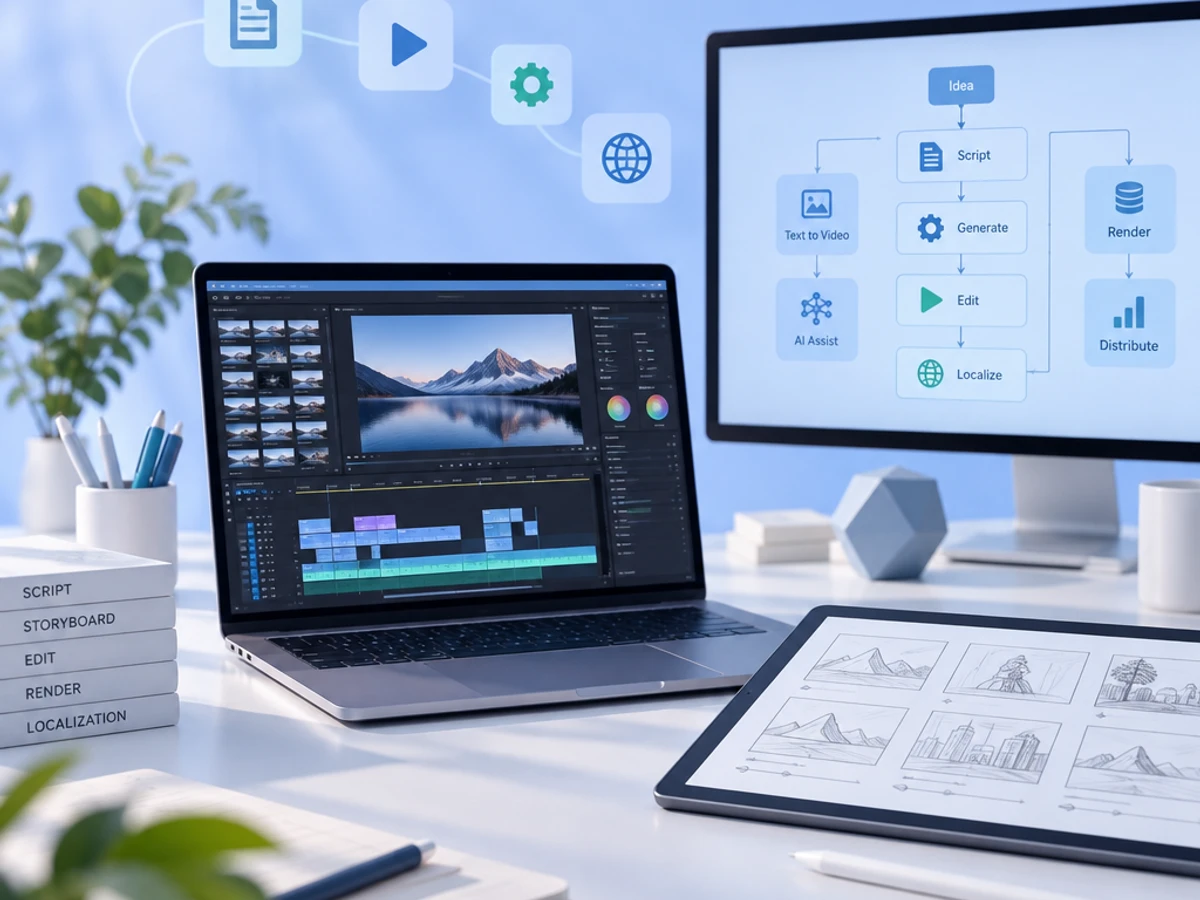
What You'll Learn
how to use AI to scale video ad creative production without hiring a video team | This guide shows you exactly how to use AI to scale video ad creative production without hiring a video team. By the end, you'll have a repeatable weekly loop: brief, generate, render, and launch. This system turns performance data into fresh video ad variants every week without adding headcount. You'll need three things: an ad intelligence layer, an AI production tool, and the discipline to stick to a weekly cadence.
- Turn ad account performance data into a weekly AI creative brief: Identify what's working and what's fatiguing to inform new creative concepts.
- Generate scripts, storyboards, and full video ads with AI production agents: Automate the creation of video content from your briefs.
- Render and localize creative across every aspect ratio your platforms need: Prepare your ads for various placements and markets efficiently.
- Launch, test, and automatically refresh creative before it fatigues: Implement a continuous testing and optimization cycle for sustained performance.
Prerequisites: An active Meta, TikTok, or Google Ads account with at least 2-4 weeks of spend history, product catalog or brand assets, and no prior video editing experience required.
Why Scaling Video Ad Creative Matters in 2026
Video is now the default unit of performance advertising. Sovran's 2026 benchmark data found that performance marketing teams produce a median of 20 ads a month but want to produce 60-a 3x creative velocity gap. Creative fatigue begins reducing ad performance by an average of 28% after just 3-4 weeks.
Industry data compiled by Adwave shows nearly 90% of advertisers are using or planning to use generative AI for video ad creative, with AI-made creative projected to account for about 40% of all video ads by 2026. AI video tools cut per-video production costs by 70% to 90%. One analysis found a 60-second video that once took 13 days now takes 27 minutes to produce.
Sovran's data shows only 5 to 10% of ad creatives will scale, meaning 90 to 95% of ads tested won't become winners. That's why volume and speed, not any single "hero" video, is the real performance lever.
Key Takeaway: The widening gap between creative demand and production capacity, coupled with rapid creative fatigue, makes scaling video ad creative with AI essential for performance marketing in 2026. Volume and speed matter most. For supporting data, see AI Ad Creative Variants: How to Generate, Test & Scale On- ....
The Process at a Glance
| Step | Action | Time | Outcome |
|---|---|---|---|
| 1 | Build a weekly AI creative brief from ad data | 30-45 min | Clear brief showing gaps and next concepts |
| 2 | Turn the brief into scripts and storyboards | 30-60 min | Format-ready scripts for each platform |
| 3 | Generate video ads with AI production agents | 1-2 hours | Multiple finished video variants, no film crew |
| 4 | Render, QC, and localize across ratios | 30-45 min | Platform-ready files in every aspect ratio |
| 5 | Launch, test, and monitor fatigue | Ongoing, 15 min/day | Live tests with automatic refresh triggers |
Total time to first launch: Roughly 3-5 hours for your first batch, then a lighter weekly cadence once the loop runs.
Step 1: Build a Weekly AI Creative Brief from Your Ad Data
What You're Doing
Replace the traditional creative brainstorm with actual data. Your brief will show what's working, what's fatigued, and what your competitors are running that you're not. Every downstream script and video should trace back to a real performance signal, not a hunch.
How to Do It
- Connect your ad account to an ad intelligence tool such as Klickrocket, which continuously evaluates which of your ads are working and flags creative gaps versus competitors.
- Pull the CPMr (cost to reach 1,000 unique users) or CTR trend line for your top 5 active ads. A sustained climb is your primary fatigue signal.
- Ask the tool (or ChatGPT/Claude) to summarize: winning hooks, underused angles, and formats you haven't tested in the last 30 days.
- Write the brief as 3-5 concept lines, each with a hook, target audience, and desired format (UGC-style, product demo, testimonial, etc.).
Best Practices
- Run this brief every Monday so your creative pipeline never stalls waiting on inspiration.
- Feed the AI real account context (past winners, current fatigue) rather than a generic product description. Grounded briefs consistently outperform generic ones.
What Done Looks Like
You have a one-page brief with 3-5 concrete concepts, each tied to a specific performance gap. For a more detailed walkthrough, see .
Step 2: Turn the Brief into Format-Specific Scripts and Storyboards
What You're Doing
Translate each concept into a detailed script and shot outline. "Format-specific" is key: a 15-second TikTok hook, a 30-second Reels ad, and a 6-second bumper all need different pacing and copy length.
How to Do It
- For each concept, write a 3-beat script: hook (0-3 seconds), value proof (middle), and call to action (final 3-5 seconds).
- Use an AI copywriting agent to generate 8-12 hook variants per concept. Research on Meta creative refresh cycles shows AI can analyze your top-performing ad copy and generate different hooks that present the same benefit through different emotional angles.
- Note the target aspect ratio for each script now (9:16 for TikTok/Reels/Stories, 1:1 or 4:5 for feed, 16:9 for YouTube/CTV) so production doesn't require rework later.
Example
| Concept | Hook | Format | Length |
|---|---|---|---|
| Problem/solution UGC | "I almost returned this until I tried..." | 9:16 vertical | 15 sec |
| Social proof | "12,000 people can't be wrong" | 4:5 feed | 20 sec |
| Feature demo | "Watch this before you buy" | 1:1 feed | 10 sec |
What Done Looks Like
You have scripts with written hooks, body, and CTA mapped to specific aspect ratios.
Step 3: Generate the Video Ads with AI Production Agents
What You're Doing
AI production agents take your script and brand assets and output a finished video ad. What used to require a videographer, editor, and motion designer now happens in software.
How to Do It
- Feed your script and product photos or brand footage into a video generation tool. Platforms like Klickrocket's creative generation feature can take an ad brief through script writing to a fully produced ad, while UGC-style avatar tools such as Arcads, Creatify, or HeyGen handle spokesperson-style formats.
- Generate multiple variants per concept rather than one polished video. The goal is coverage, not perfection.
- Test 10 to 15 AI versions of a concept for a few dollars each, then double down on whichever hook breaks out. AI finds the winning angle faster and cheaper than any single hand-crafted cut.
- Keep brand elements (logo, colors, product shots) consistent across variants so the output still reads as your brand.
Common Mistakes
Mistake: Generating one "hero" video per concept instead of many cheap variants. Fix: Generate in batches of 8-15 per concept. Volume surfaces winners since the vast majority won't scale but a handful reliably will.
What Done Looks Like
You have a folder of finished video files for every concept in your brief, produced without a single camera shoot.
Step 4: Render, QC, and Localize Across Aspect Ratios
What You're Doing
One master asset becomes many. Adapt it into every ratio and language version your media plan requires.
How to Do It
- Render each winning concept into 9:16, 1:1, 4:5, and 16:9 versions. Multi-ratio rendering from a single project is now table stakes for cross-platform campaigns.
- Run a quick QC (Quality Control) pass: captions readable, CTA visible, no cropped product shots, audio synced.
- If you sell in multiple markets, use AI localization to swap voiceover, on-screen text, and cultural references. Klickrocket's creative localization capability saves time versus manual dubbing.
- Since March 2026, Meta requires disclosure on ads containing AI-generated or AI-modified content. Check the disclosure box before export.
Best Practices
- Prioritize vertical 9:16 first. Vertical ads see 25% higher 6-second view-through rates compared to horizontal formats.
- Use a naming convention (concept_hook_ratio_version) so your media buyer can identify winners without opening every file.
What Done Looks Like
Every video exists in every ratio you plan to run, is disclosure-compliant, and is clearly named to trace back to its original concept.
Step 5: Launch, Test, and Let AI Monitor Fatigue to Restart the Loop
What You're Doing
Create a self-sustaining system. Launch, watch performance signals, and let the same intelligence layer that wrote your original brief tell you when it's time to refresh.
How to Do It
- Launch all variants into a testing campaign structure (not directly into your best-performing ad set) so you don't disrupt existing delivery.
- Follow the standard scaling loop: generate variations, run creative tests, scale winners, and replace fatigued creatives with fresh AI-generated batches.
- Watch CPMr as your primary fatigue signal. A sustained climb means a refresh is due.
- Feed winning and losing results back into Step 1's brief the following week, so the AI's next batch is grounded in what actually happened.
Example
| Week | Signal | Action |
|---|---|---|
| Week 1 | New batch launched, CTR baseline set | Monitor, no changes |
| Week 3 | CPMr climbing on 2 of 8 variants | Pause those 2, keep winners live |
| Week 4 | Top 2 variants still strong | Scale budget, brief next batch around their hooks |
What Done Looks Like
Your account runs a continuous weekly cycle: brief, produce, launch, monitor, refresh, without anyone manually starting from a blank page.
What to Do After Scaling Your Video Ad Creative
Phase 1 (Weeks 1-4): Stabilize the cadence. Focus on hitting your weekly brief-to-launch rhythm consistently. The workflow matters more than perfect output early on.
Phase 2 (Weeks 5-12): Expand format and channel coverage. Once the loop runs smoothly on one platform, extend to a second channel. Start localizing top performers into new markets.
Phase 3 (Month 4+): Automate brief generation. Let your ad intelligence layer surface concepts and gaps without manual review. This frees your team to focus on strategy and offer testing rather than production logistics.
Resources You'll Need
| Resource | Role | Requirement | Price |
|---|---|---|---|
| Klickrocket | Ad intelligence, brief generation, and end-to-end AI video production | Required | Contact for pricing |
| Meta Ads Manager | Campaign launch, testing, and delivery data | Required | Free (ad spend separate) |
| HeyGen or Arcads | UGC-style avatar video generation for spokesperson formats | Recommended | ~$30-100/mo |
| Canva or CapCut | Light manual editing, captions, and quick edits | Optional | Free-$15/mo |
| Triple Whale | Attribution and creative-level ROAS tracking | Optional | $100+/mo |
See also, see How to Scale Video Content Without Increasing Headcount.
Common Plateaus & How to Break Through
Plateau: AI-generated videos all look the same
Likely cause: Relying on a single tool's default templates without feeding it distinct product angles, offers, or creator treatments.
Fix: Bring varied inputs (different product demos, hooks, and offer structures) into the tool rather than expecting it to invent differentiation from one generic prompt.
Plateau: Creative fatigues faster than expected
Likely cause: Audiences can spot visibly AI-generated creative. Visibly-AI creative fatigues faster, with CPA slipping around week three.
Fix: Once an AI variant proves the winning hook, consider reshooting that exact concept with a real creator to extend its lifespan. Shorten your refresh cycle to weekly rather than monthly.
Plateau: High volume but no clear winners
Likely cause: Testing too many variables at once so you can't isolate what drove results.
Fix: Use controlled variable testing, changing one element per batch while holding others constant. Each test teaches you something specific.
Plateau: Ads getting rejected after launch
Likely cause: Missing the AI-content disclosure that platforms now require.
Fix: Check the AI-disclosure box before export. Build it into your Step 4 QC checklist permanently. For more troubleshooting advice, see How to Use AI for Ad Testing | Blog.
Conclusion
Scaling video ad creative with AI comes down to running one disciplined loop every week: turn ad data into a brief, turn the brief into scripts, let AI production agents generate the video, render it into every format you need, and launch with a system watching for fatigue. Teams that run this loop consistently produce far more tested variants per month without adding a single video hire.
Key Takeaways
- Replace an entire video production pipeline with a weekly brief-to-launch AI loop, no camera crew required.
- Volume beats perfection: since only a small fraction of any creative batch will scale, testing more cheap variants consistently outperforms polishing one expensive video.
- Run Step 1 this week: pull your last 30 days of ad data and write your first AI creative brief before Friday.
FAQ
How do you use AI to scale video ad creative?
Run a repeatable weekly loop: build a data-driven creative brief from your ad account's performance, turn that brief into format-specific scripts, generate multiple video variants with AI production agents, render them into every aspect ratio your platforms need, and launch with automated fatigue monitoring to trigger the next refresh. This workflow typically takes a few hours to set up and 3-5 hours per week to run once established.
Can I really scale video ad production without hiring a video editor or videographer?
Yes. AI production agents can take a script and product photos or existing footage and output a finished video ad, which is why platforms increasingly market themselves around removing the need for in-house video skills entirely.
How much does AI video ad production cost compared to traditional video?
One 2026 analysis found per-minute production costs falling from roughly $4,500 to around $400, with brands using AI creative automation reporting up to an 80% reduction in overall production costs.
How often should I refresh AI-generated video ad creative?
Weekly is the emerging standard in 2026, since creative fatigue can start reducing performance within 3-4 weeks of a creative going live.
What's the difference between AI creative generation and dynamic creative optimization (DCO)?
AI creative generation produces the actual video or image assets from a brief or script, while DCO (like Meta's Advantage+ Creative) takes existing assets and automatically combines and personalizes them per user. Most scaled workflows use both: generation to create supply and DCO to serve the best combination.
How many video variants should I generate per concept?
Media buyers commonly generate 10-15 AI versions of a single concept before identifying which hook breaks out, since the winning angle is rarely obvious until tested against real audience response.
Do I need to disclose that my video ads are AI-generated?
Yes, on Meta specifically. Since March 2026 the platform requires disclosure on ads containing AI-generated or AI-modified content, and skipping this disclosure is a leading cause of ad rejections.
What tools work well alongside an AI video generation tool?
Pair a generation tool with an ad intelligence layer that tracks what's fatigued and what gaps exist versus competitors. Platforms like Klickrocket combine both functions, monitoring ad performance and generating the next batch of ads from that data in one system.
This guide was compiled using publicly available 2026 industry data on AI video advertising adoption, creative fatigue benchmarks, and production cost trends. Verify current tool pricing and platform policies directly before implementation.